Spec-driven development for AI coding agents
Every task your agent finishes comes with proof.
VibeDoc keeps your plan, specs and memory as markdown in your repo. Claude Code, Cursor or any MCP agent works them task by task, and you review each one on its tests, screenshots and video.
Works with Claude Code · Cursor · Windsurf · Codex · any MCP client
Try the demo first:npx vibedoc --demoa sample project in a throwaway copy, nothing touches your files.
$ npx vibedocRuns the latest version in the current project. Nothing to install.
$ npm install -g vibedocInstalls the vibedoc command; then run vibedoc in your project.
$ pnpm add -g vibedocInstalls the vibedoc command; then run vibedoc in your project.
$ bun add -g vibedocInstalls the vibedoc command; then run vibedoc in your project.
$ brew install quanghoangf/vibedoc/vibedocmacOS and Linux. Brings its own Node; then run vibedoc in your project.
$ curl -fsSL https://quanghoangf.github.io/vibedoc/install.sh | shmacOS and Linux; brings its own Node, asks before touching your PATH and whether to keep VibeDoc running in the background. Windows: irm https://quanghoangf.github.io/vibedoc/install.ps1 | iex
Its own window, the same app as the browser, and it updates itself. Not signed yet: the first time, right-click → Open on macOS, More info → Run anyway on Windows.
Install VibeDoc (https://github.com/quanghoangf/vibedoc) in this project and connect it to yourself. Follow these steps in order, and do not skip the report at the end.

Rules:
- Ask me before any command that needs admin rights (sudo, a global system path). If I say no, skip that step.
- Never edit my shell startup files (.zshrc, .bashrc, .profile, PowerShell profile).
- Never install or switch Node versions. If Node is missing or too old, stop and tell me.

1. Check Node: run `node -v`. VibeDoc needs Node.js 20.9 or newer.
2. Start VibeDoc on port 3333, from this project's root folder:
   - First check whether it already runs: `curl -s -X POST http://localhost:3333/api/mcp -H 'content-type: application/json' -d '{"jsonrpc":"2.0","id":1,"method":"tools/list"}'`. If the answer lists tools named vibedoc_*, reuse it.
   - If something else answers on port 3333, stop and ask me which port to use instead.
   - Otherwise start `npx -y vibedoc@latest --port 3333` as a background process that keeps running after your command returns (your tool's background mode, or `nohup … > /tmp/vibedoc.log 2>&1 &`). Wait until the curl above lists the tools (up to 60 seconds).
3. Connect the MCP server (HTTP, http://localhost:3333/api/mcp) for the tool you are:
   - Claude Code: `claude mcp add --transport http vibedoc http://localhost:3333/api/mcp`.
   - Cursor: add `"vibedoc": { "url": "http://localhost:3333/api/mcp" }` under "mcpServers" in .cursor/mcp.json in the project root, keeping any servers already there.
   - Anything else: tell me the URL and that it is an HTTP (JSON-RPC) MCP server, and show me where your MCP config lives if you know it.
4. Claude Code only: install the VibeDoc skills plugin with `claude plugin marketplace add quanghoangf/vibedoc`, then `claude plugin install vibedoc@vibedoc`. It adds /vibedoc:roadmap, /vibedoc:breakdown, /vibedoc:work and /vibedoc:next.
5. Verify: call the vibedoc_get_status tool through the server: `curl -s -X POST http://localhost:3333/api/mcp -H 'content-type: application/json' -d '{"jsonrpc":"2.0","id":2,"method":"tools/call","params":{"name":"vibedoc_get_status","arguments":{}}}'`. It should name this project.
6. Report back as a checklist, one line per step above: ✅ done, ⏭️ skipped (why) or ❌ failed (the error). Then tell me:
   - the board URL: http://localhost:3333
   - to restart this session (Claude Code) or reload MCP servers (Cursor), so the vibedoc_* tools and /vibedoc:* commands load
- the first thing to try: /vibedoc:roadmap to plan, or "list the VibeDoc tasks"Paste into Claude Code, Cursor or any agent. It installs, connects and reports what it did. Read the full prompt
Watch a task move.
- The agent claims the next ready taskIt asks VibeDoc over MCP. T031 has no open dependency, so it moves to In progress under the agent’s name.
- Every checklist item runs as a testEach step is a Playwright run with a screenshot. The card ticks as the steps pass.
- Done comes with proofThe task lands in Done with its evidence attached, the epic moves to 2 of 4, and the tasks that waited on it open.
14 seconds, unedited
Your agent moves the card. You don't touch anything.
The agent asks VibeDoc for the next ready task, builds it, reports its checklist and marks it done. The board updates over a live connection, and the next task opens because its dependency is met.
Spec-driven development
Vibe coding forgets. Specs remember.
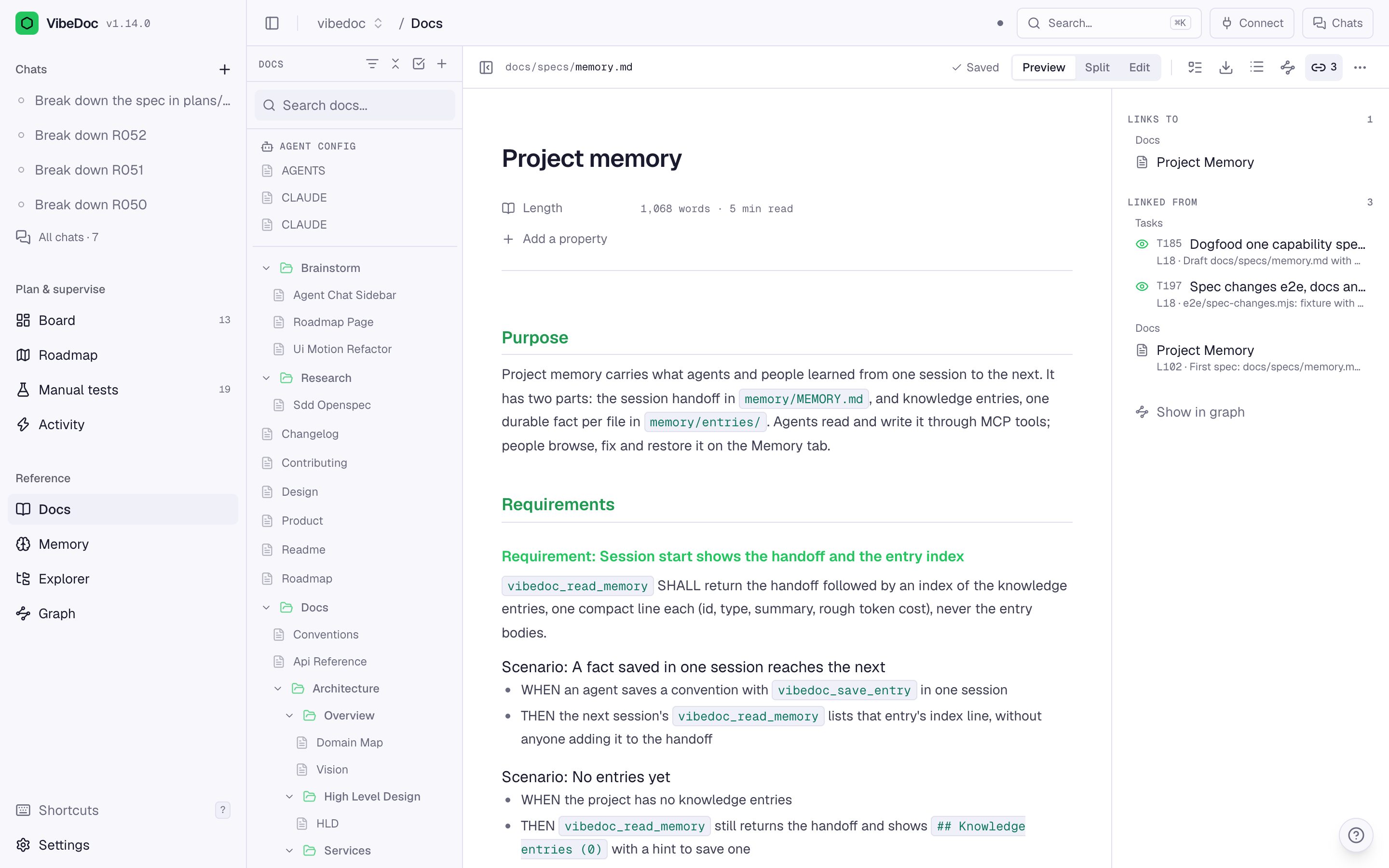
In a chat, what you asked for scrolls away and "done" means "trust me". VibeDoc keeps what each feature must do as living specs next to your code, turns the promises into checks, and verifies the work against them before you approve it.
Without specs
- Intent lives in chat history and is gone next session
- The agent rebuilds how a feature works from old tasks
- "Done" is the agent's word for it
- Docs drift until nobody trusts them
With VibeDoc
- Each capability has one spec: requirements with WHEN/THEN scenarios
- The agent sees the related requirements when it claims a task
- Scenarios seed each task's checklist, and the epic shows which ones passed
- A finished epic merges its spec changes in one reviewed diff
1 · Capability spec
What it does today
docs/specs/memory.md
### Requirement: Session budget
Session start SHALL fit the
memory budget.

#### Scenario: Many entries
- WHEN there are 200 entries
- THEN only what fits is listed
2 · Epic
What will change, and how we'll know
plans/roadmap/R069-….md
## Scenarios
### S1: Bigger budget
- WHEN 300 entries exist
- THEN session start still fits

## Spec changes
#### MODIFIED Requirement:
Session budget
3 · Verify
Checked against what was asked
critical
AC2 "Unknown plan → 400": route returns 500major
S1 has no test stepTick findings → Send back 2 findings
4 · Merge
The spec stays current
Merge R069 into the spec
− fit 2000 tokens
+ fit 3000 tokens
− WHEN 200 entries
+ WHEN 300 entries

Accept
Brownfield-first: you never write specs for the whole codebase up front. A spec starts with the first epic that touches a feature and grows with every epic after it, the same delta idea OpenSpec uses (ADDED, MODIFIED, REMOVED, RENAMED).
Plan. Build. Prove. Review.
Four commands, one loop.
The commands ship as a Claude Code plugin. In Cursor or any other MCP client, the same steps are the vibedoc_* tools.
Plan
Turn your docs and a short interview into horizons and epics with scenarios.
/vibedoc:roadmapBreak down
Split an epic into tasks an agent can pick up cold, each seeded with its scenarios.
/vibedoc:breakdown R004Build and prove
Claim, build, test and commit, task by task. Each one ends with its evidence. Or click Work with agent: it runs in its own git worktree and branch.
/vibedoc:work R004Review
Approve on the proof, or send findings back. Not sure what's next? Ask.
/vibedoc:next
Inside VibeDoc
One local app for the whole loop.
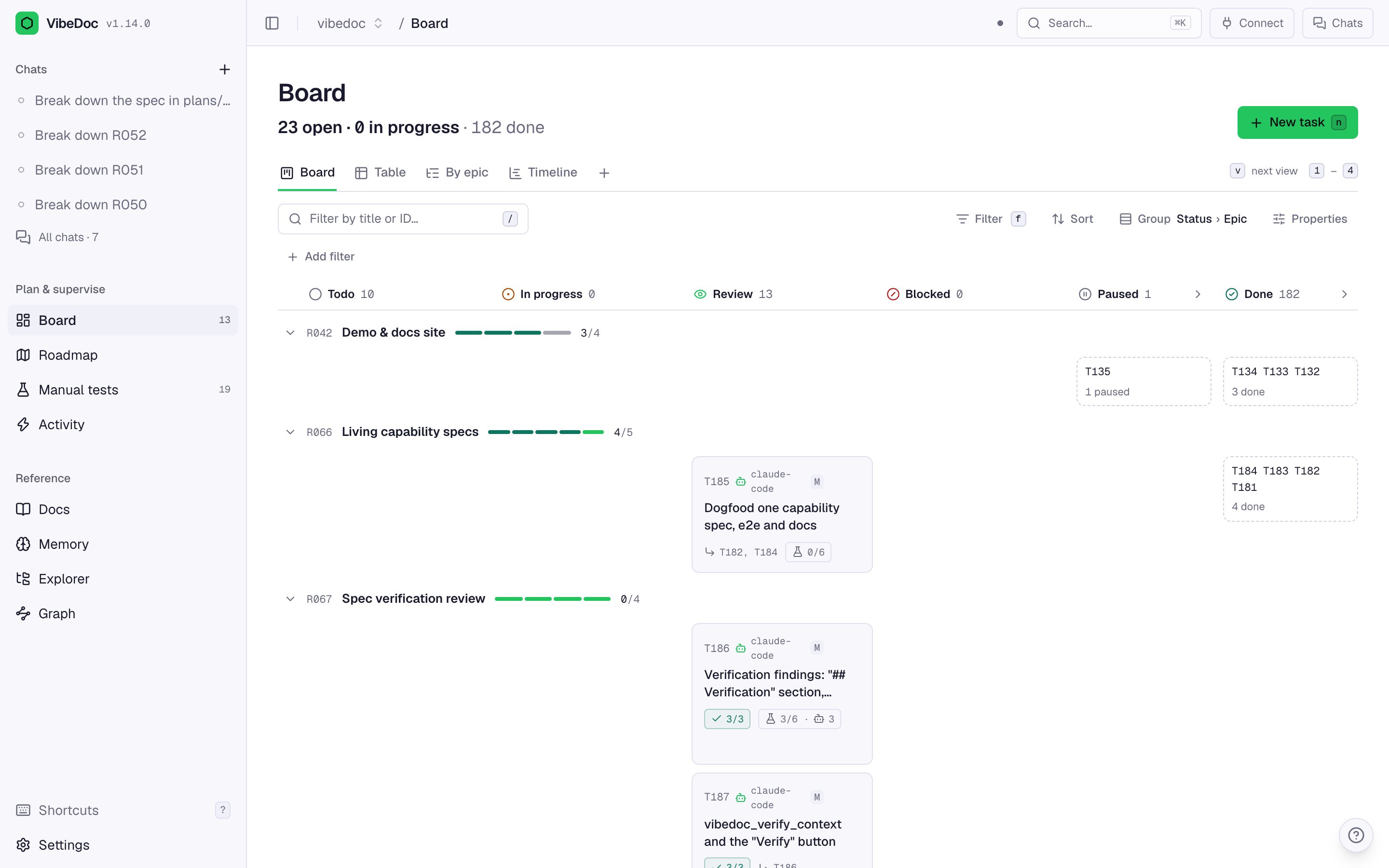
A board your agent moves
Tasks are markdown files. Agents claim, move and finish them over MCP, and each card shows its test results and who is on it.
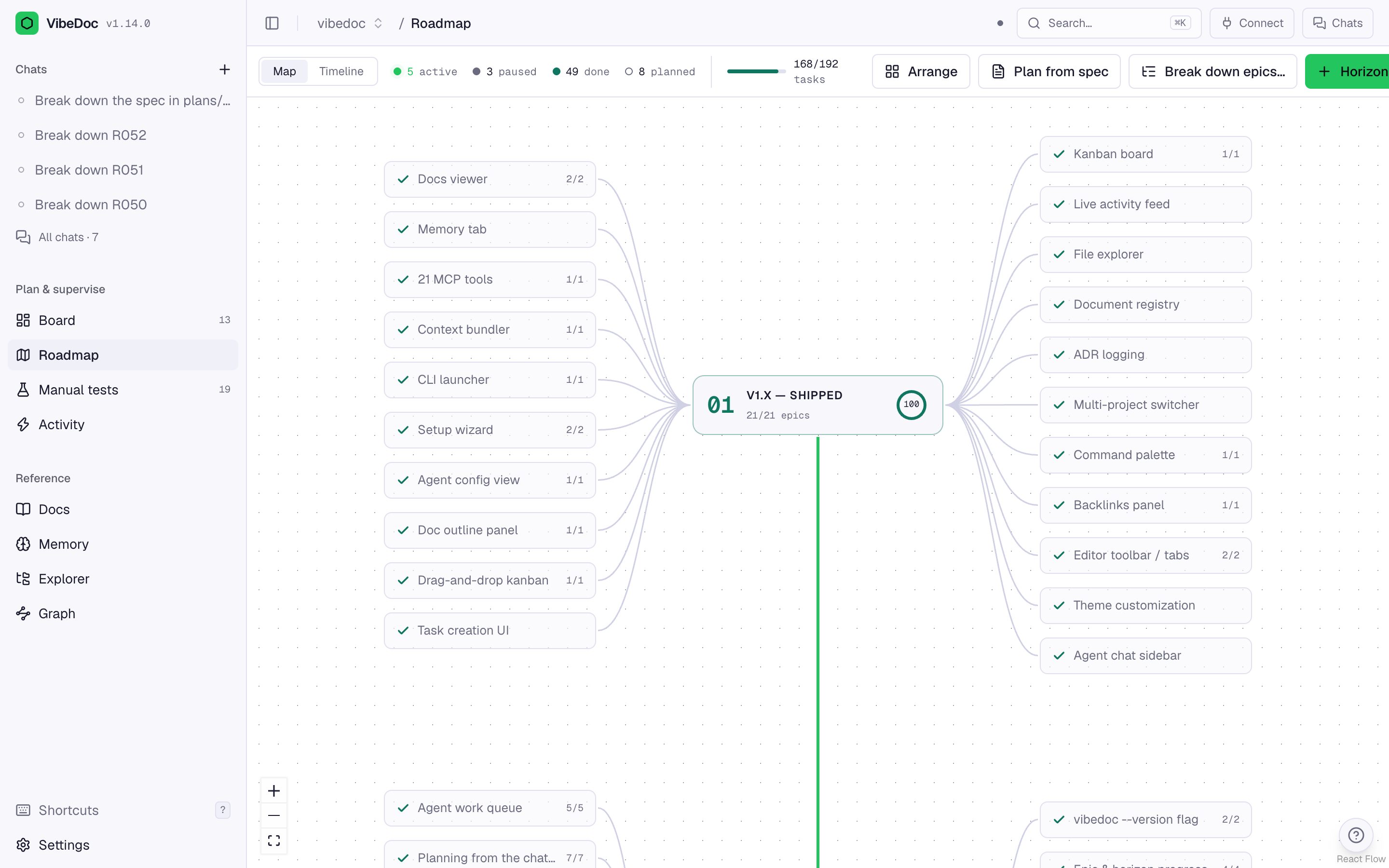
A roadmap that tracks itself
Horizons and epics on a map or a timeline. Progress, at-risk epics, unmerged spec changes and uncovered scenarios come from the tasks.
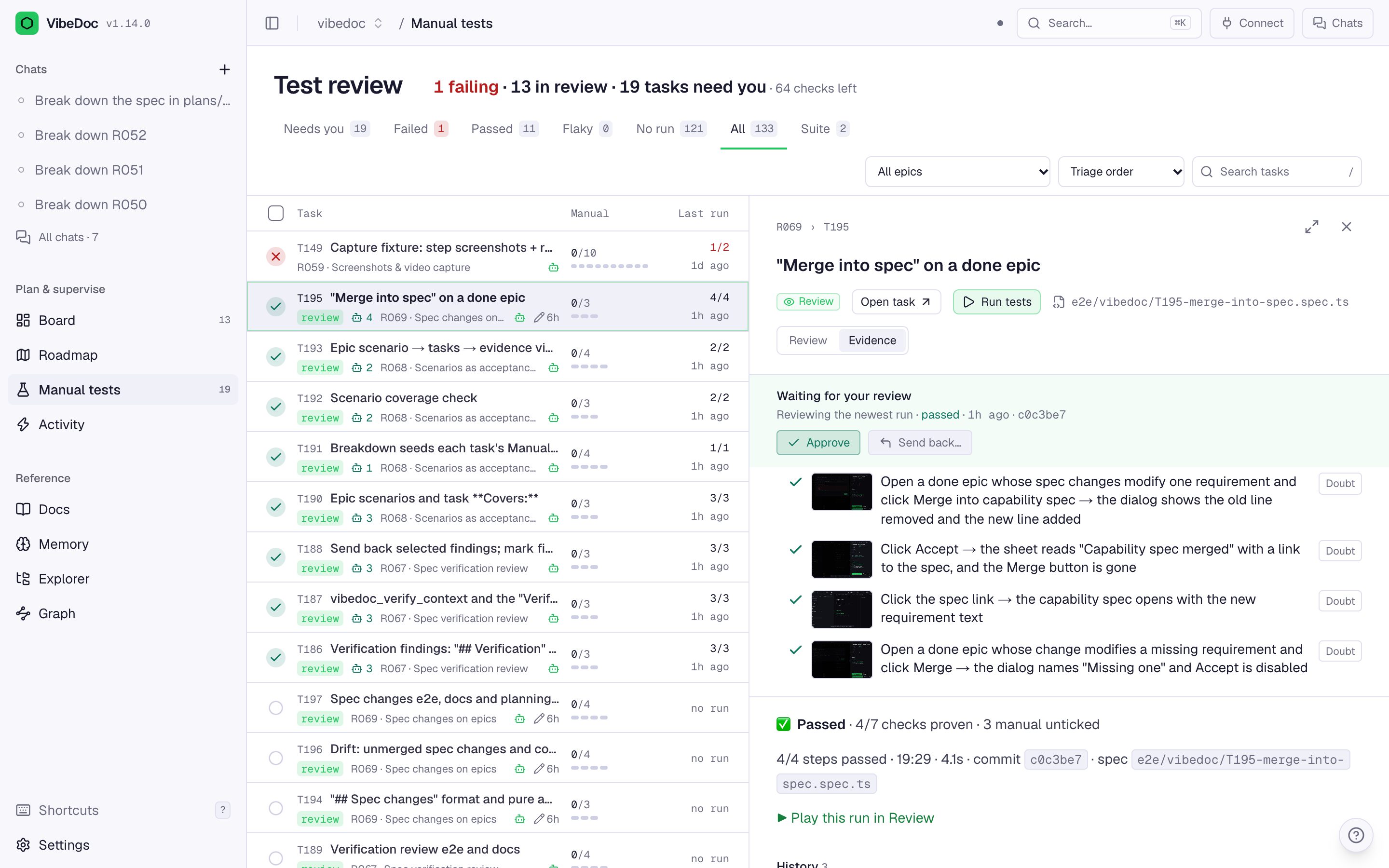
Evidence for every task
Each checklist item runs as a Playwright step. Review the screenshots and video, flag a doubt, approve or send back.
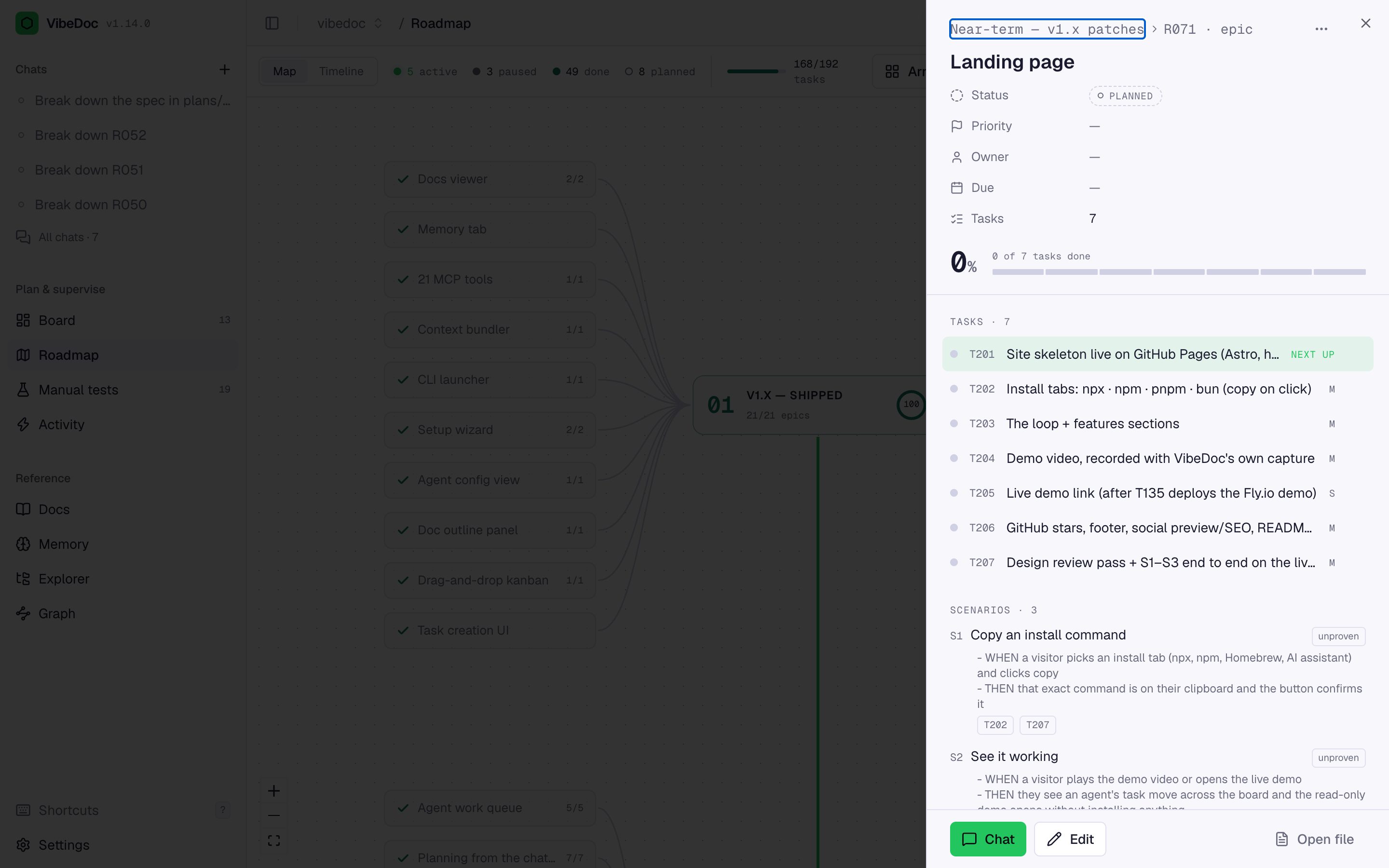
Scenarios as acceptance tests
Each epic lists its WHEN/THEN scenarios and shows which ones are passed, failed or still unproven by its tasks.
Living capability specs
One spec per feature, edited like any doc. Agents get the related requirements whenever they open a task in that area.
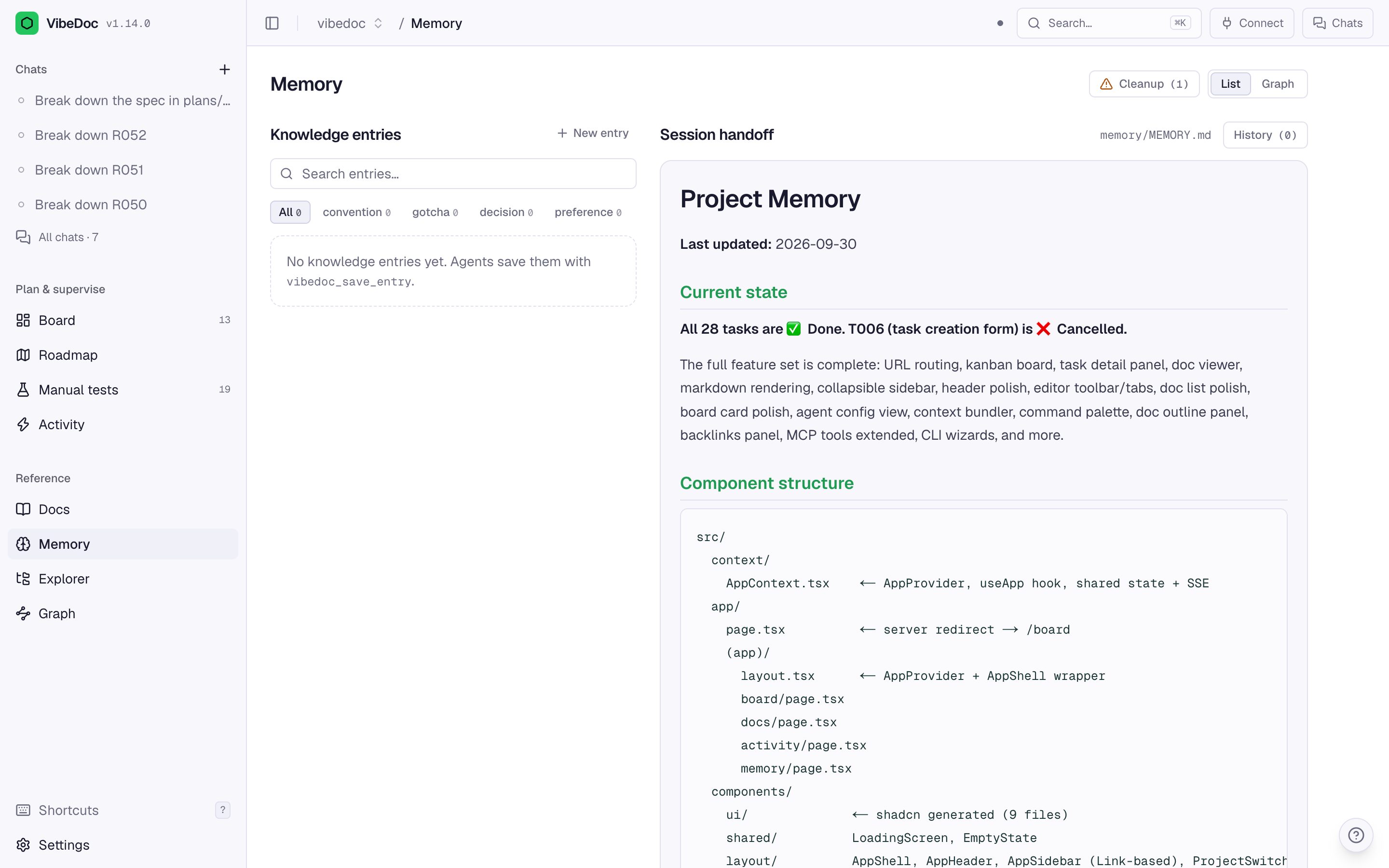
Memory between sessions
A handoff plus one-fact knowledge entries the next agent reads first, with history you can restore.
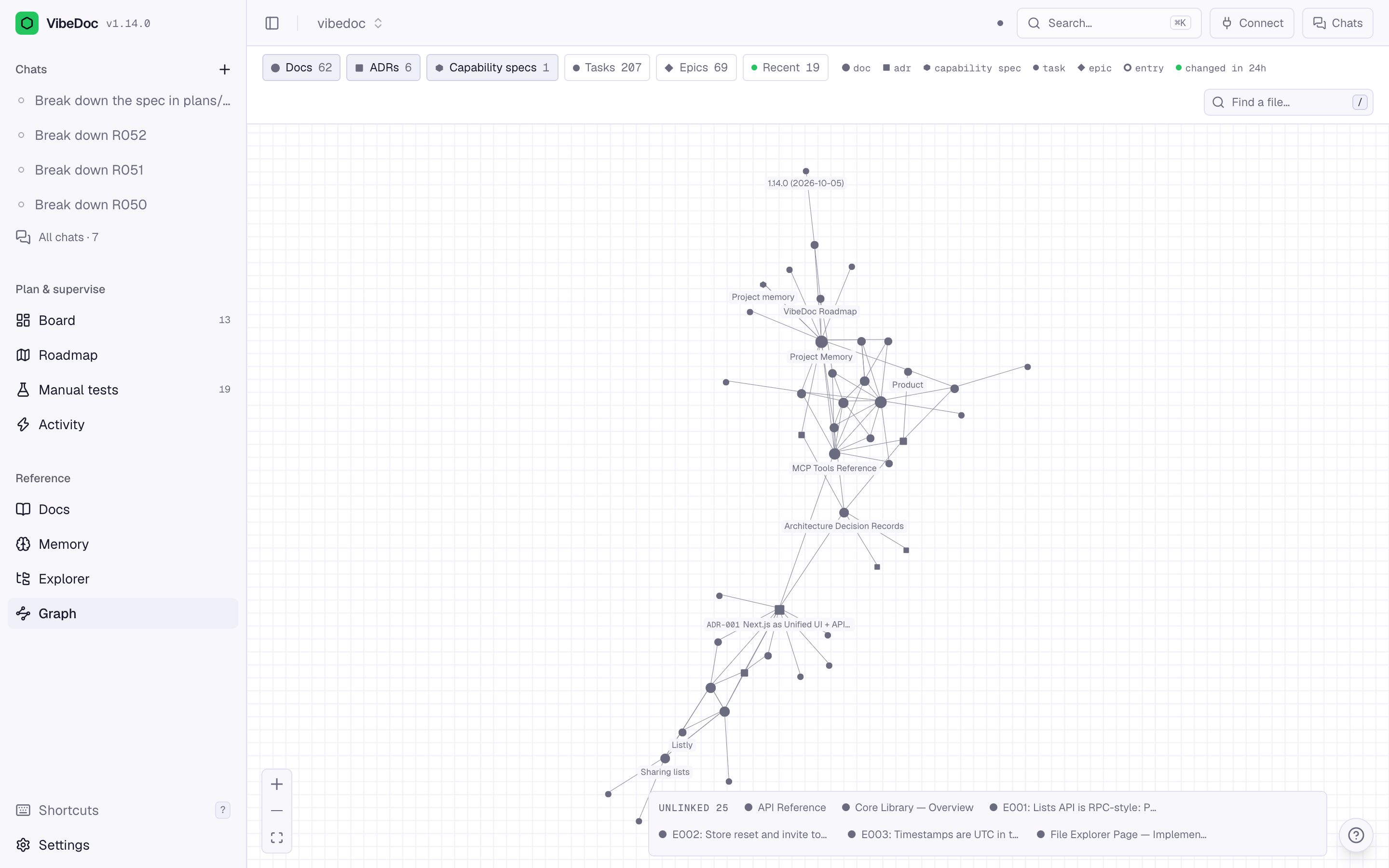
Every link, on one map
Docs, tasks, epics, specs and entries, joined by the links in their text. Broken and stale links stand out.
Running in a minute.
Local-first: one process on your machine, no account, no database. Your plans stay plain markdown in your repo. Run it in the background and it restarts itself after a crash, at the same address, so your agent stays connected.
1 · Start VibeDoc in your project
cd your-project
npx vibedoc
2 · Connect your agent over MCP
"vibedoc": {
  "url": "http://localhost:<port>/api/mcp"
}
3 · Add the commands (Claude Code)
/plugin marketplace add quanghoangf/vibedoc
/plugin install vibedoc@vibedoc
4 · Keep it running: in the background, at every login (optional)
vibedoc start
vibedoc login on
vibedoc stop
Give your agent a board,
and yourself the proof.
Open source, MIT licensed, built in the open.